How the contents panel is built
This article exists to show the client every component the Single/Article template can render, in the order they would meet them when reading. Each section below names the thing it is demonstrating, so the page doubles as a reference while the template is being signed off.
Every heading below is picked up automatically. Nothing is listed by hand, and the anchors are generated in the same pass that builds the list, so the links can never drift out of step with the copy.
Subheadings are included too
Body copy runs in the middle column of a three column grid. The contents panel sits to the left and an empty column of the same width holds the right hand margin, which is what keeps the line length comfortable to read rather than running the full width of the page.
A pull quote lifts one strong line out of the body copy and gives it room to breathe.
Louise Walsh, Clinic Director
Supporting copy continues here so the components below have enough text around them to sit realistically, rather than stacking straight on top of one another the way they would in a short test post.
Featuring a product in the copy
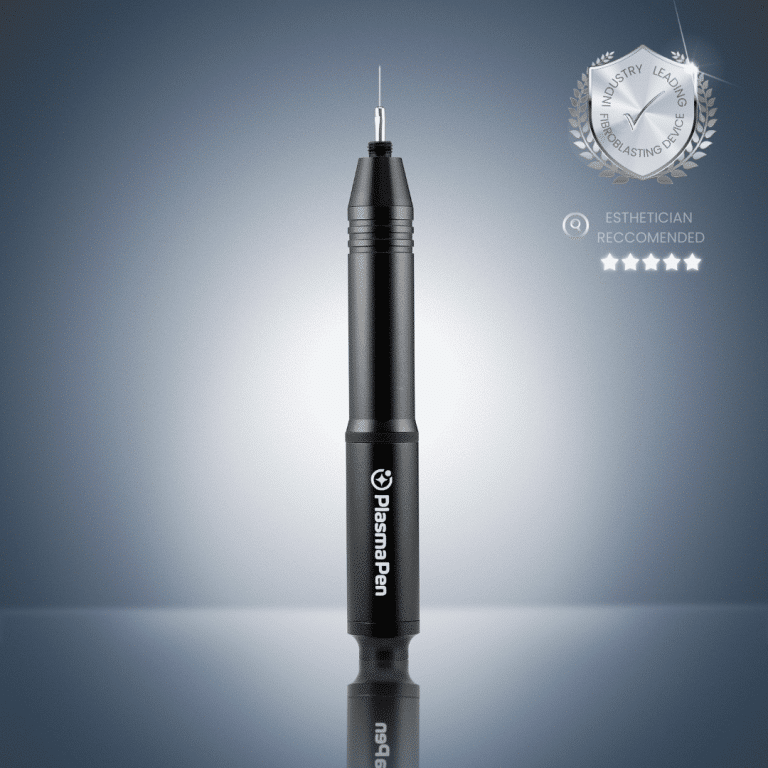
The product below is placed with the [featured_product] shortcode, so it sits exactly here rather than at the end of the article. It reads the Featured in this article field, and carries the price, the finance line and the Buy now / Discover pair.
Featured in this article
Meet Our incredible PlasmaPen Ultra device, it is primarily geared towards more experienced aestheticians and medical professionals and is designed to underpin all of the primary treatments and the more advanced and niche treatments too.
All our professional plasma devices are designed for non-invasive soft-surgery and fibroblasting treatments to underpin next-generation skin-lifting, skin-tightening, rejuvenation, resurfacing, revitalization, contouring and regeneration treatments
Pay in 3 interest-free payments with PayPal*
Supporting copy continues here so the components below have enough text around them to sit realistically, rather than stacking straight on top of one another the way they would in a short test post.
Linking through to a course
The black card below is placed with [course_cta], which reads the Related course CTA field. Drop that shortcode wherever the CTA should appear.
Two days, hands on, with a certified trainer. Small groups and real clients.
A one-off CTA, written inline
The same shortcode takes attributes for a one-off that is not worth filling the field in for. This one overrides every part and uses the lighter style.
Fifteen minutes with a trainer to work out which course fits your clinic.
A pull quote without attribution
The attribution is optional. Left out, the quote renders on its own.
Not every quote needs a name under it.
Supporting copy continues here so the components below have enough text around them to sit realistically, rather than stacking straight on top of one another the way they would in a short test post.